 Help Center
You can delete the Exported videos from the Homepage as shown below:
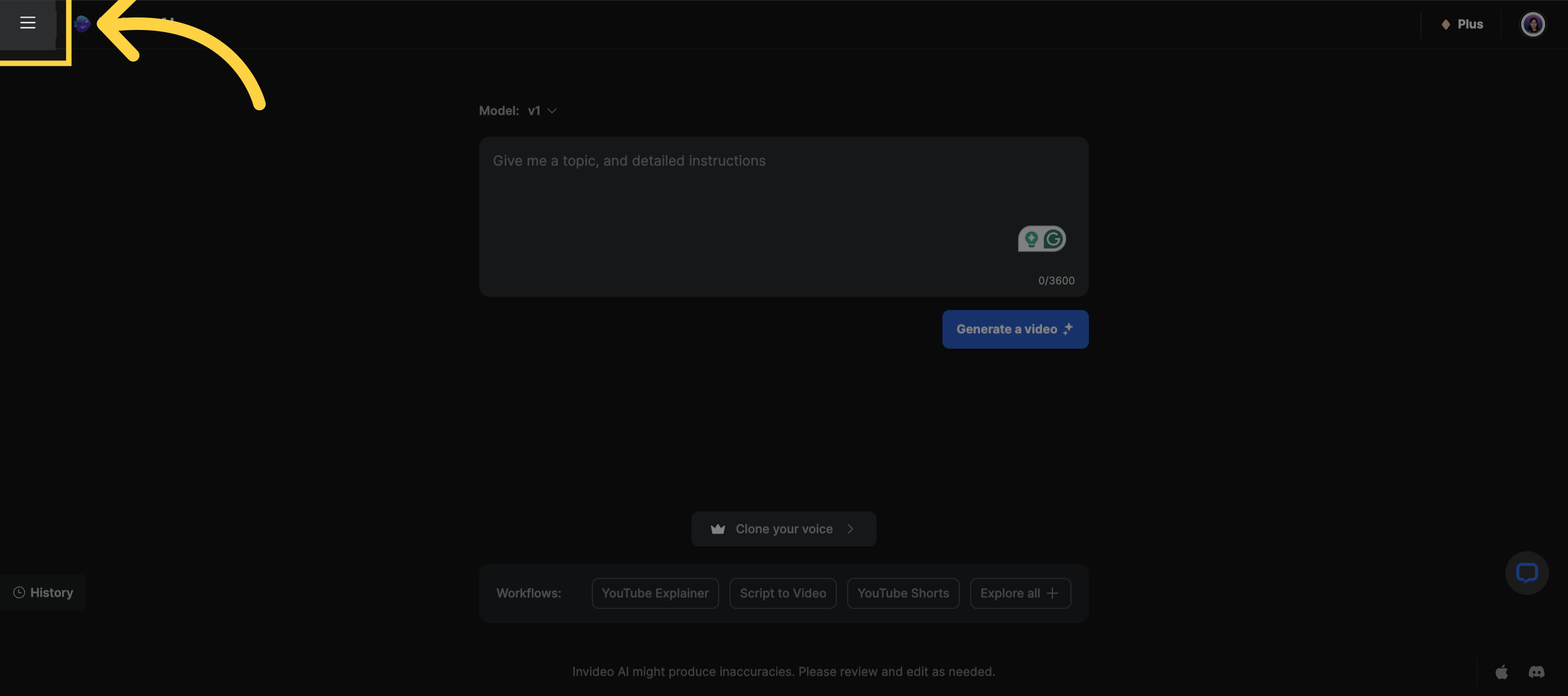
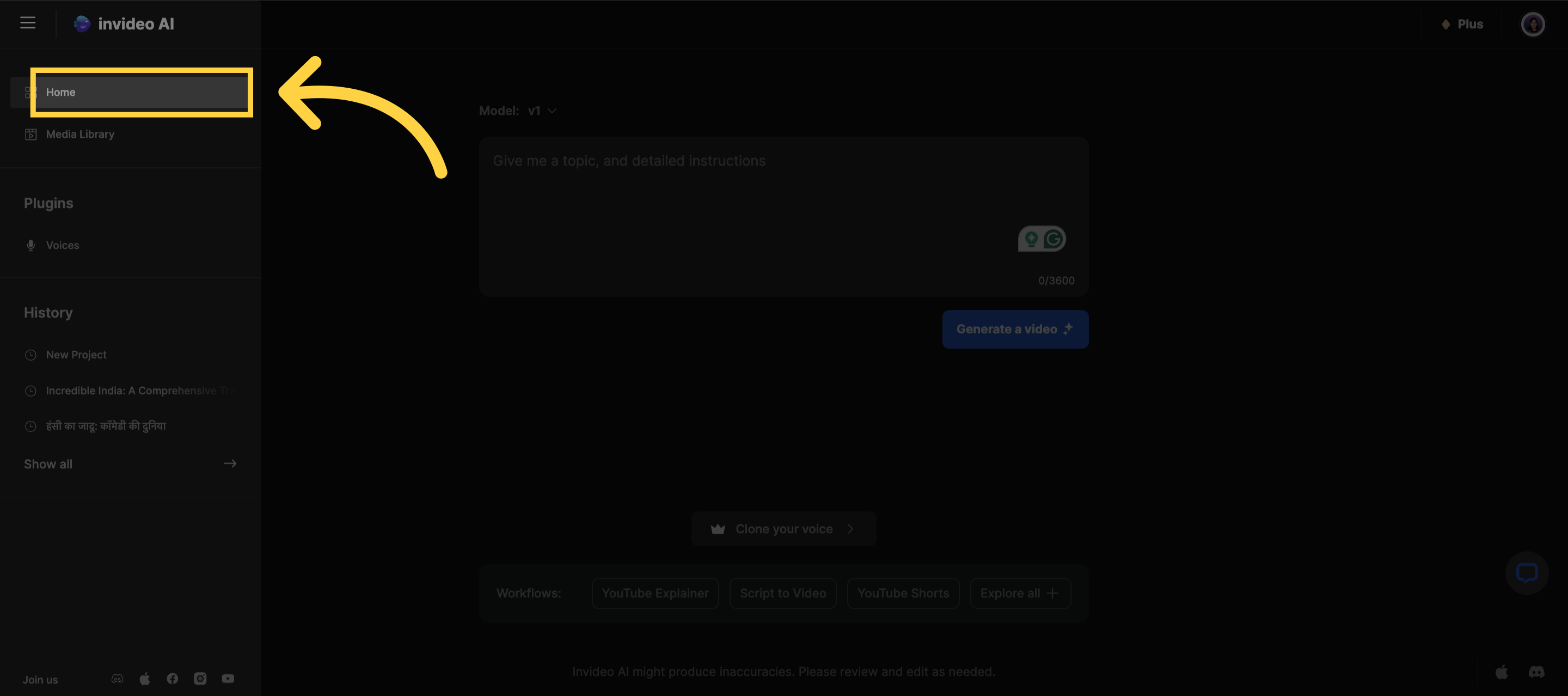
Step 1: Click on the three lines located in the top left-hand corner, then select the Home option.
)
)
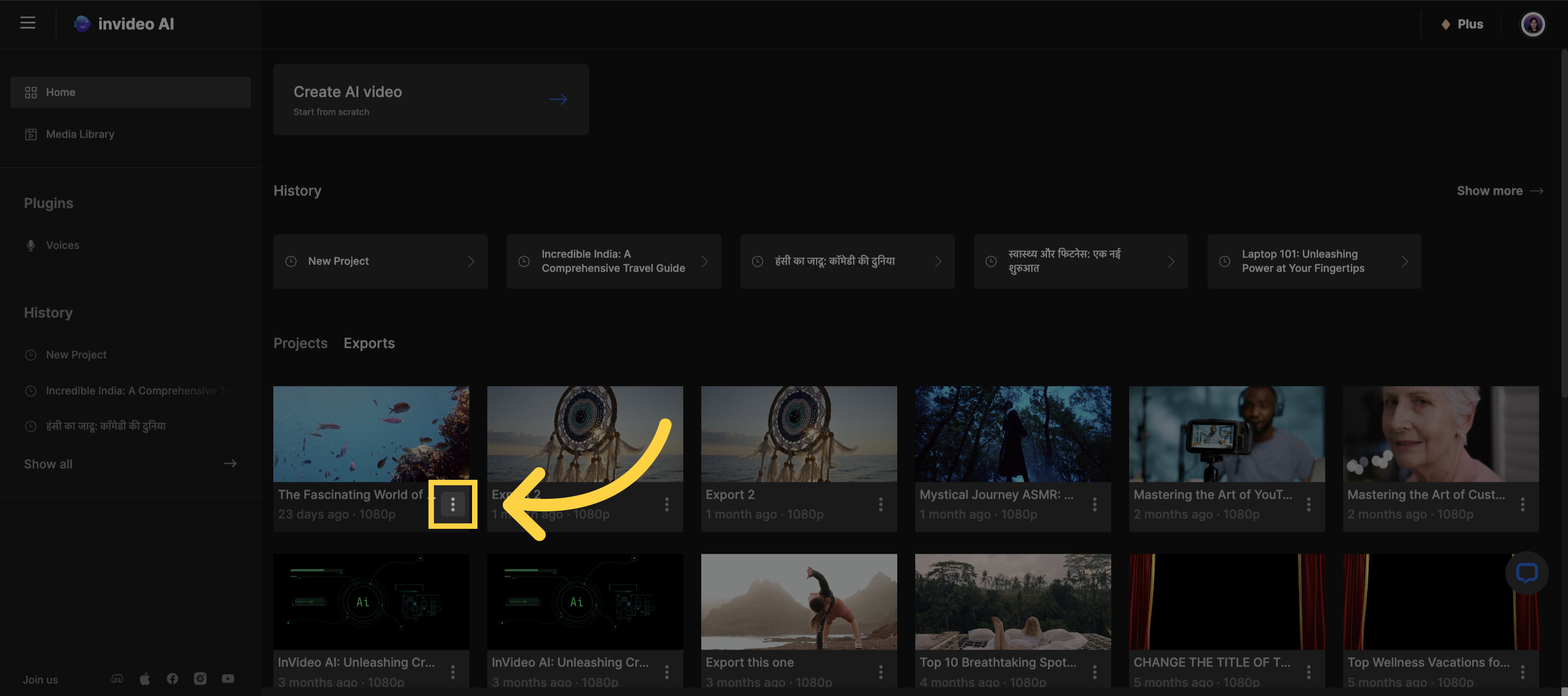
Step 2: Select the 3 lines below the exported video.
)
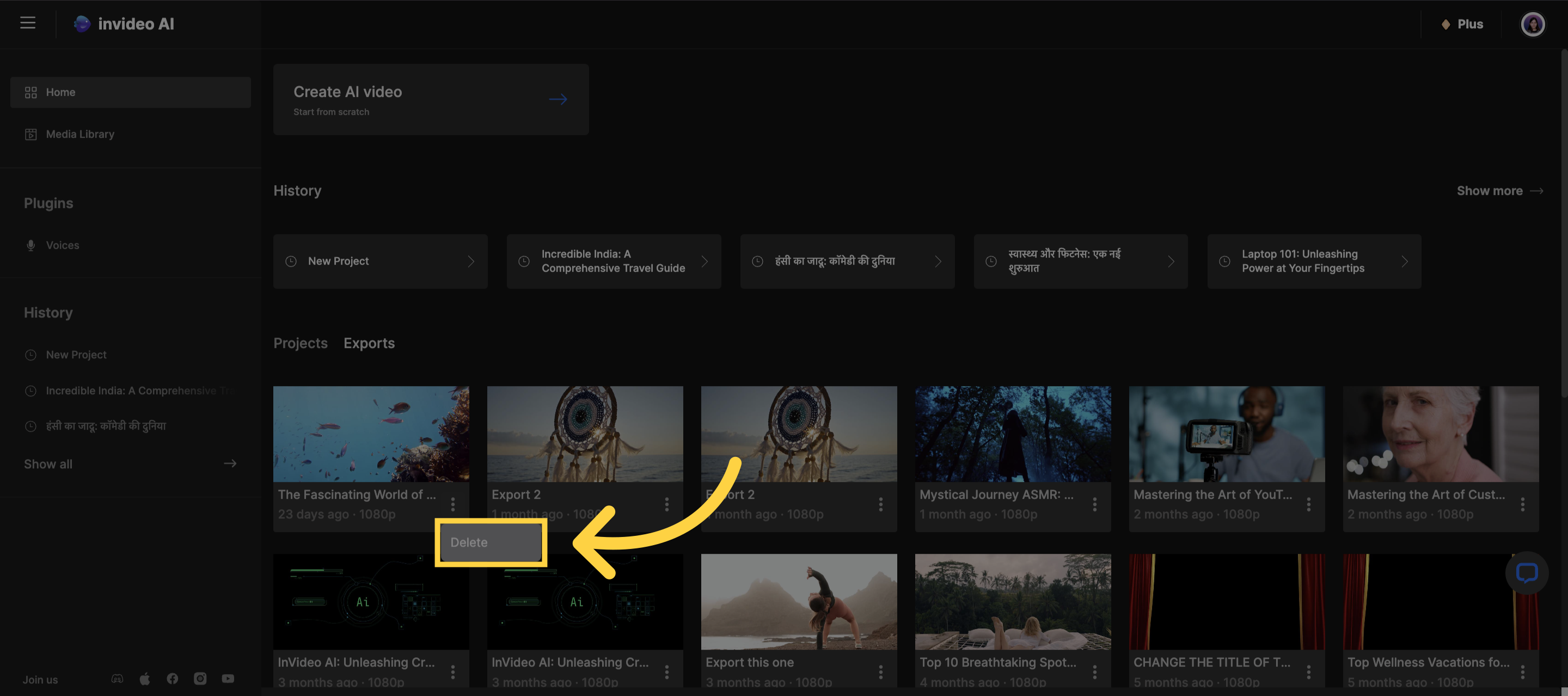
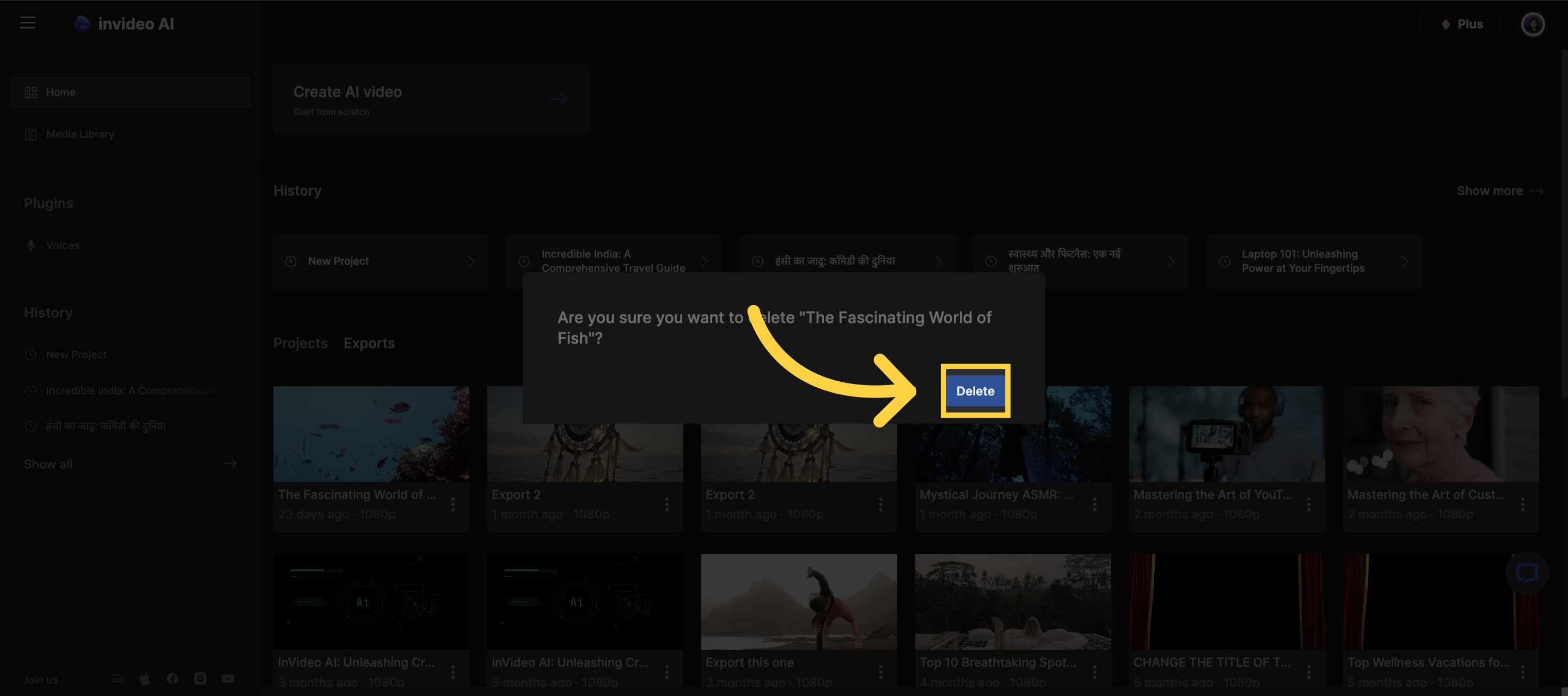
Step 3: Click on Delete to delete the video and confirm.
)
)
If you need any assistance, please come speak with our support heroes on our 24x7 live chat accessible in the bottom right-hand corner, or email us at support@invideo.io